Advertisement
KNEC issues step-by-step guide for accessing KCSE e-certificates online
Tuesday 21st July, 2026 05:35 PM|
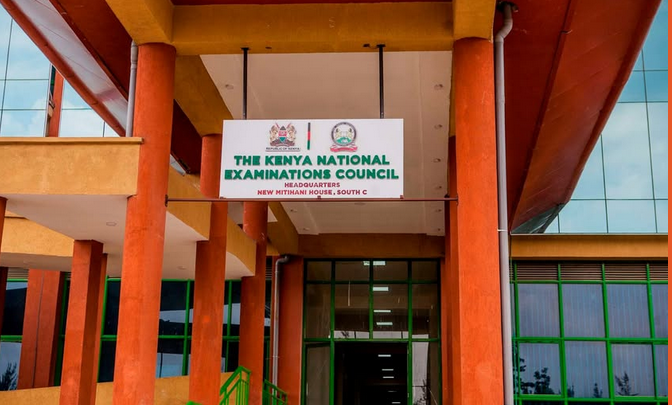
The Kenya National Examinations Council (KNEC) has released a detailed guide to help former Kenya Certificate of Secondary Education (KCSE) candidates access and download their examination certificates through its newly launched e-Certificate system.
The online platform allows candidates who sat the KCSE examination from 1989 to the present to apply for and download digital copies of their certificates after completing an online verification and payment process.
According to KNEC guidelines on Tuesday, July 21, 2026, applicants must first create an account on the e-Certificate portal by selecting the Applicant (Student/Alumni) account type, providing their full name and email address, and verifying their identity using a six-digit One-Time Password (OTP) sent to their email. Existing users can log in using their registered email address and request a fresh OTP to access their dashboard.
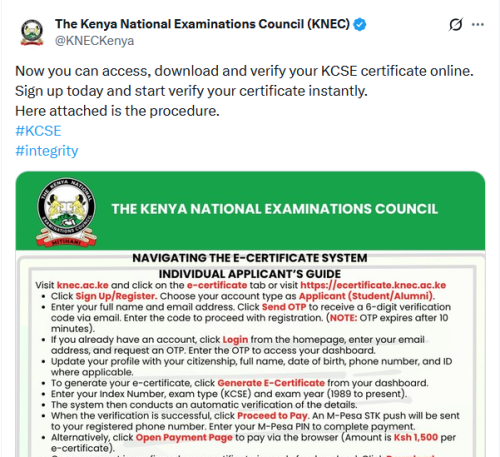
Once registered, users are required to update their profile with personal details, including citizenship, date of birth, phone number and national identification details where applicable.
You Might Also Like


To generate an e-certificate, applicants must enter their KCSE index number, examination year and exam type. The system automatically verifies the information before prompting successful applicants to make payment.
KNEC has set the application fee at Ksh1,500 per e-certificate, payable through an M-Pesa STK push or an alternative browser-based payment option. Once payment is confirmed, candidates can immediately download their certificate in PDF format.
Verification reports for employers
Beyond downloading certificates, the platform also enables candidates to send official verification reports directly to employers, learning institutions or other third parties.
To do this, applicants are required to upload the downloaded e-certificate in PDF format, select the intended verification institution from a drop-down menu or enter custom recipient details, choose a preferred delivery method such as email, and complete the required payment after accepting a consent declaration.
Once processed, the verification report is sent directly to the selected recipient, while the applicant receives an email confirming the transaction.
The council said the platform is designed to simplify certificate access and verification while reducing the need for physical visits to its offices.
Candidates seeking additional guidance can download a comprehensive user manual from the KNEC e-Certificate portal.
Simple step on how to apply
- Register or log in to the KNEC e-Certificate portal.
- Update your personal profile.
- Select Generate E-Certificate.
- Enter your KCSE index number, exam year and exam type.
- Complete verification and pay Ksh1,500.
- Download the e-certificate once payment is confirmed.
- Upload the certificate to request a verification report for an employer or institution, if required.
Author
Emmanuel Rono
Rono is a digital journalist with a proven track record in newsroom leadership and content creation. Currently a Digital Writer for People Daily Digital, Emmanuel’s career is rooted in a lifelong passion for storytelling. Let's talk here: [email protected] or [email protected]
View all posts by Emmanuel RonoLatest News








Advertisement
More on Insights